.jpg?imgmax=800)








Showing posts with label Tips And Trick. Show all posts
Showing posts with label Tips And Trick. Show all posts
Windows Tips And Tricks:How to Disable or Enable Auto run CD in Windows XP?
Posted Mar 29, 2013 in Tips And Trick, Windows tweaks by noor ahmad
Computer Usefull Tips & Short Keys.
Posted Mar 28, 2013 in Tips And Trick by noor ahmad
Shortcut keys help supply a simpler and usually quicker method of navigating and making use of computer system software application programs.
Shortcut tricks are generally accessed utilizing the Alt (on IBM compatible pcs), command trick (on Apple pcs), Ctrl, or Shift in conjunction with a solitary character. The de facto standard for noting a faster way is noting the modifier key, a plus sign, and the solitary personality. Simply puts, "ALT+S" is telling you to push the Alt secret and while continuing to hold the Alt key, press the S trick to perform the shortcut.
These are the 30 worst passwords of 2012
Posted Mar 4, 2013 in Password, Security, Tips And Trick by noor ahmad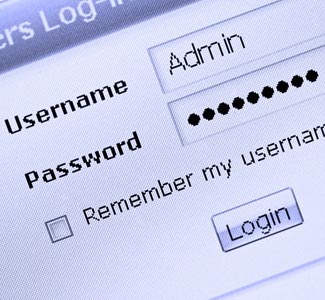
Password is a secret characters or word for users we are use passwords for our authentication to verify our identification and approval to access the websites which required secure account or login to access our data they allow to store personal data or informations but some people try to access our data or steal our information they called h@ckers today im going to tell you about the worst 30 passwords of 2012
Learn How to Make Pop up Reminders With Cmd No Need Any Software
Posted Feb 19, 2013 in Tips And Trick by noor ahmad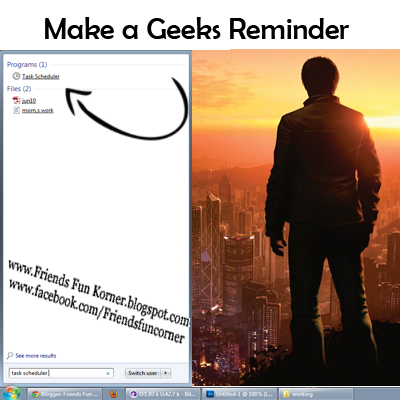
One of common mistake is that we didn't have time or our mind is useless junk
Most of people forget their commitment or daily task or a
one time event they needs to set a reminder
Facebook Chat Emoticons And Smiley Shortcuts A Full List Of Codes With Meanings
Posted May 5, 2012 in Facebook, Tips And Trick by noor ahmad
Hi all reader of Friends Fun Corner today i'm going to share Facebook
Smiley Emoticons Shortcuts Codes
Smileys codes entered directly into the face-book chat menu and represent the human faces that correspond images to your expressions and various moods,You can placed them alone or in the center of your text smiley is a effective way to transport your emoticons,
If you didn't keep remember in mind or always forget codes and always want to write the right word never pick the wrong expression don't worry i'm here today i'm going to motioned complete list of shortcuts
Use my shortcuts guide and get popular codes for smiley faces
I am quite sure that many of you have already remembered smiley emoticons codes but this is a impressive and complete list of codes you must like seriously
So why waiting let’s get started read


Trick To Make Your Firefox Fast
Posted Jan 30, 2011 in Tips And Trick by noor ahmadThis tricks will improve the speed & load time of firefox. And you will be able to surf faster.
Type about:config in the address bar, Then look for the following entries, and make the corresponding changes.
1.
network.http.max-connections-per-server =32
2.
network.http.max-persistent-connections-per-proxy =16
3.
network.http.max-connections = 64
4.
network.http.max-persistent-connections-per-server = 10
5.
network.http.pipelining = true
6.
network.http.pipelining.maxrequests = 200
7.
network.http.request.max-start-delay = 0
8.
network.http.proxy.pipelining = true
9.
network.http.proxy.version = 1.0
Lastly right-click anywhere and select New- Integer. Name it nglayout.initialpaint.delay and set its value to 0. This value is the amount of time the browser waits before it acts on information it recieves.Enjoy!!
AutoRun.inf Virus Remove trick
in Tips And Trick by noor ahmadhi every one
as i got many mails on topic how to remove autorun.inf virus.today i want to explain some simple ways to remove autorun.inf virus manually
steps to be followed:
1)go to start--> RUN---> type CMD
2)type CD.. ( cd and two dots also )--->>again CD..
3)type
c:\ prompt
attrib a*.inf -h -a -s -r
del autorun.inf
4)Just change the drive letters C,D,E,F,G or any letters u assign to them
method 2:
i found another simple method ill explain that one also
1)just copy the below code and paste it in a notepad and save it as
v2tricks.bat
the code is
cd\
c:
attrib -r -s -h autorun.inf
del autorun.inf
d:
attrib -r -s -h autorun.inf
del autorun.inf
e:
attrib -r -s -h autorun.inf
del autorun.inf
f:
attrib -r -s -h autorun.inf
del autorun.inf
g:
attrib -r -s -h autorun.inf
del autorun.inf
h:
attrib -r -s -h autorun.inf
del autorun.inf
i:
attrib -r -s -h autorun.inf
del autorun.inf
j:
attrib -r -s -h autorun.inf
del autorun.inf
k:
attrib -r -s -h autorun.inf
del autorun.inf
l:
attrib -r -s -h autorun.inf
del autorun.inf
m:
attrib -r -s -h autorun.inf
del autorun.inf
n:
attrib -r -s -h autorun.inf
del autorun.inf
o:
attrib -r -s -h autorun.inf
del autorun.inf
p:
attrib -r -s -h autorun.inf
del autorun.inf
q:
attrib -r -s -h autorun.inf
del autorun.inf
r:
attrib -r -s -h autorun.inf
del autorun.inf
s:
attrib -r -s -h autorun.inf
del autorun.inf
just copy the above code and paste it in note pad and save it as v2tricks.bat
and then double click on that file [v2tricks.bat]
all the virus will be removed from your pc
Removing the Hand Icon from Shared Resources
Posted Jan 28, 2011 in Tips And Trick by noor ahmadTo remove hand icon from your shared resources:
- Start Regedit.
- Go to HKEY_CLASSES_ROOT / Network
- Open SharingHandler.
- Clear it's default value
- Restart Windows.
- To restore set Default value "msshrui.dll".
Adding Drive to the SendTo List
in Tips And Trick by noor ahmadAdding Drive to the SendTo List
I have recently found that if you want to send something from A: drive or from any where to any drive, you can just make a short cut of that drive in subdirectory SENDTO.
For example I have two hard drives, a Floppy Drive, and a CDROM
After I have make a copy of each of my drive I will be able to send a whole directory of E:\Movies from the CDROM drive to A: drive or any other drive that i have had made the short c t in the SENDTO subdir of WINDOWS.
Pc Icone remove shortcut arrow
in Tips And Trick by noor ahmadTo remove shortcut arrow from desktop icons in any type of document:
1. Start regedit.
2. Navigate to HKEY_CLASSES_ROOT\lnkfile
3. Delete the IsShortcut registry value.
4. Navigate to HKEY_CLASSES_ROOT\piffile
5. Delete the IsShortcut registry value.
6. Navigate to HKEY_CLASSES_ROOT\ConferenceLink
7. Delete the IsShortcut registry value.
8. Navigate to HKEY_CLASSES_ROOT\DocShortCut
9. Delete the IsShortcut registry value.
10.Navigate to HKEY_CLASSES_ROOT\InternetShortcut
11. Delete the IsShortcut registry value.
12. Navigate to HKEY_CLASSES_ROOT\WSHFile
13. Delete the IsShortcut registry value.
14. Close regedit.
1. Start regedit.
2. Navigate to HKEY_CLASSES_ROOT\lnkfile
3. Delete the IsShortcut registry value.
4. Navigate to HKEY_CLASSES_ROOT\piffile
5. Delete the IsShortcut registry value.
6. Navigate to HKEY_CLASSES_ROOT\ConferenceLink
7. Delete the IsShortcut registry value.
8. Navigate to HKEY_CLASSES_ROOT\DocShortCut
9. Delete the IsShortcut registry value.
10.Navigate to HKEY_CLASSES_ROOT\InternetShortcut
11. Delete the IsShortcut registry value.
12. Navigate to HKEY_CLASSES_ROOT\WSHFile
13. Delete the IsShortcut registry value.
14. Close regedit.


